WBS and activity planning
All plans: structure project work through WBS and Building, Elevation and Zone hierarchy; edit activities, relationships and calendars in Schedule Builder.
FacadePM · Available now
Plan, control, and report facade projects in one specialist workspace.
FacadePM is a Windows project-management workspace for facade teams, with scheduling in every plan and resources, commercial controls and registers in the applicable plans.
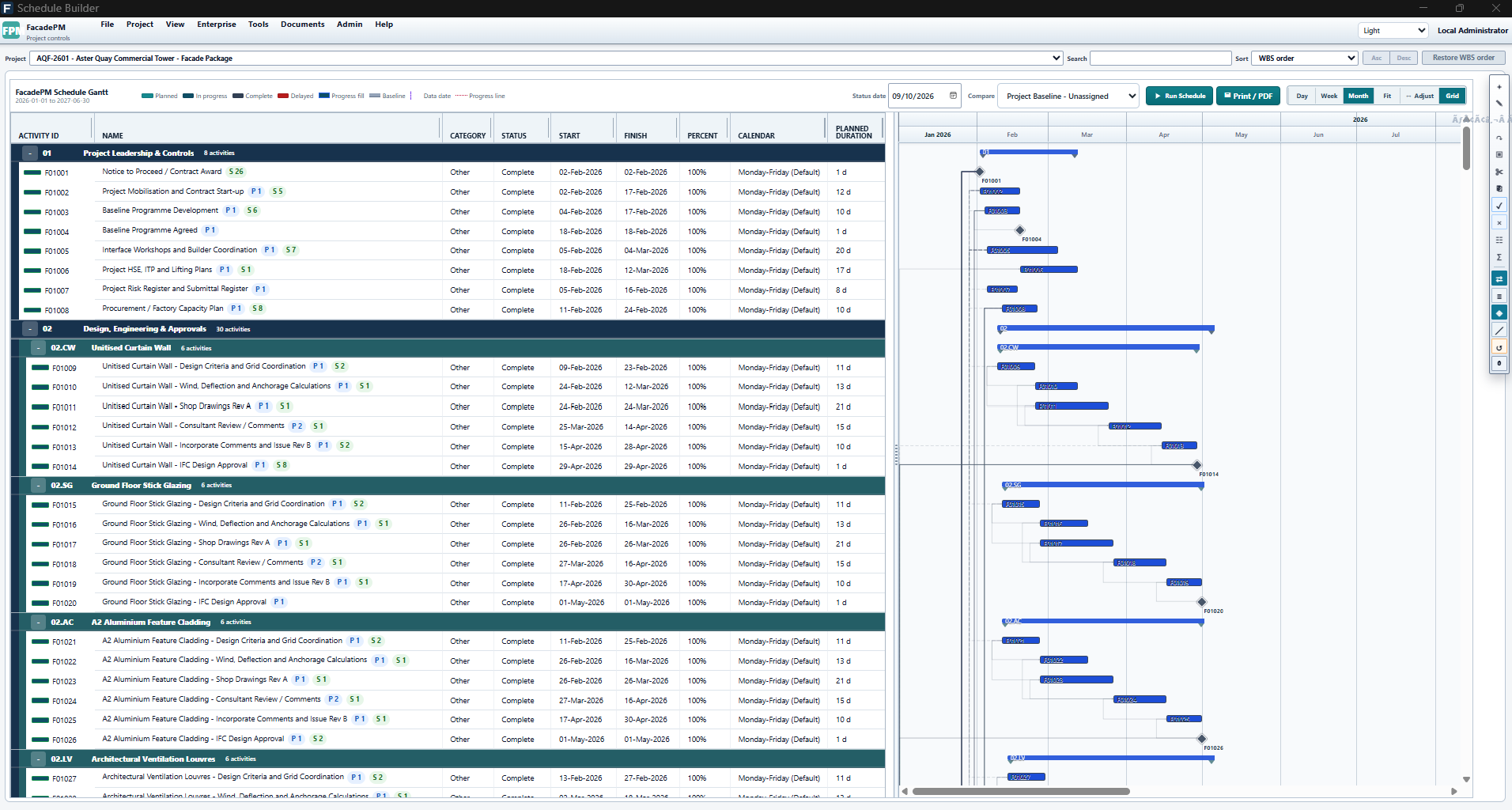
FacadePM Schedule Builder for fictional Aster Quay (AQF-2601), showing WBS, activities and Gantt with Project Baseline - Unassigned selected.
Applicable paid plans: Schedule, Schedule + Resources, Project Controls, Complete. User-role requirements apply.
View full-size Schedule Builder screenshotReleased capabilities
FacadePM brings work breakdown, scheduling and schedule progress into a local Windows workspace. Resources, commercial controls, reports and registers depend on your plan and user role.
All plans: structure project work through WBS and Building, Elevation and Zone hierarchy; edit activities, relationships and calendars in Schedule Builder.
All plans: review baselines, critical-path context, data dates, Task and Start/Finish milestones, and duration-weighted schedule progress. Calculated dates remain separate from saved dates.
Schedule + Resources, Project Controls and Complete: review resource demand and allocations. Resource calendars do not silently change critical-path dates.
Project Controls and Complete: review budgets, value-based claimed progress and cash flow, and produce project status packs and dashboard exports. These are distinct from schedule progress.
Complete: use document, RFI, submittal, quality inspection and defect registers, subject to the applicable module and user role.
From structure to status
All plans include WBS, activities, relationships, calendars, baselines and schedule progress. Resource demand requires Schedule + Resources or above; commercial measures and status exports require Project Controls or Complete.
Schedule progress is duration-weighted; commercial claimed progress is value-based. Missing budget or no-value states do not mean zero project completion. Review calculated dates separately from saved dates.
The screenshots show fictional Aster Quay (AQF-2601). Its Dashboard retains the actual No claimable value state; the Builder comparison selector is Project Baseline - Unassigned.
Explore practical tutorialsGenuine product views
Fictional Aster Quay demonstrates the released interface. The full Dashboard commercial view requires Project Controls or Complete; WBS is included in every plan.
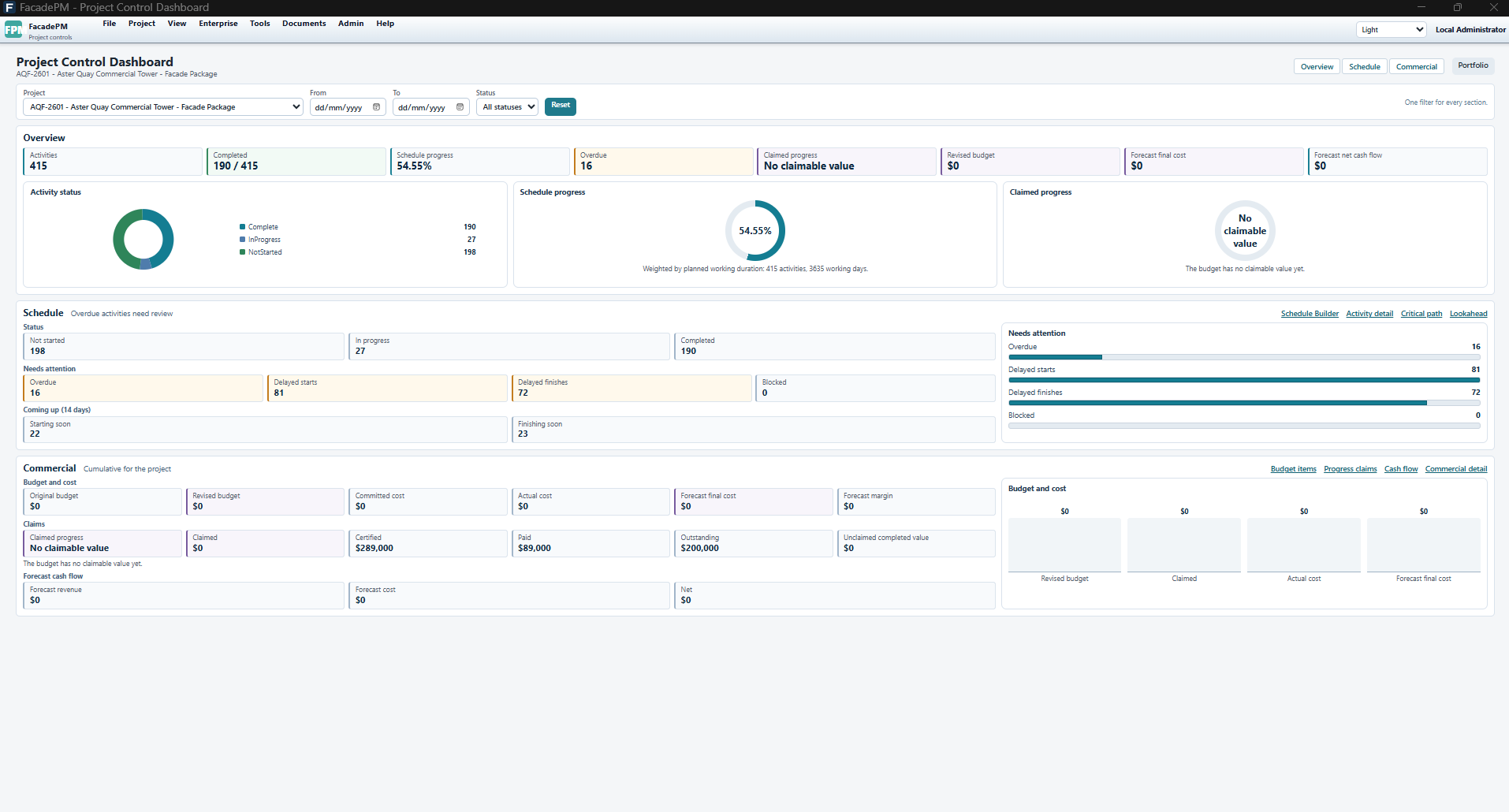
FacadePM Project Control Dashboard for fictional Aster Quay (AQF-2601): 54.55% schedule progress; commercial claimed progress shows No claimable value. Commercial views require Project Controls or Complete.
Applicable paid plans: Project Controls, Complete. User-role requirements apply.
View full-size Project Control Dashboard screenshot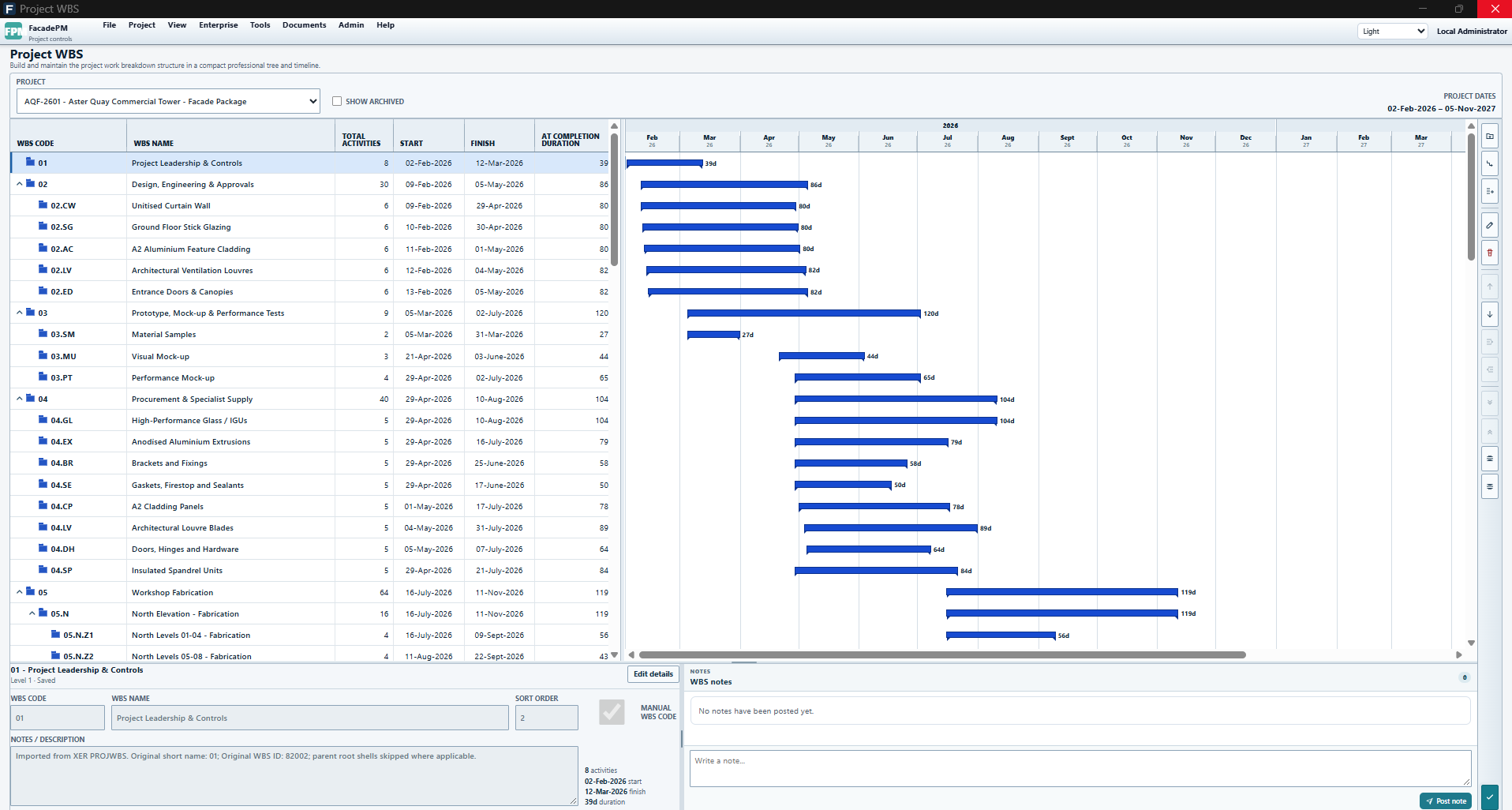
FacadePM Project WBS for fictional Aster Quay (AQF-2601), showing grouped work, activity counts, dates and a timeline.
Applicable paid plans: Schedule, Schedule + Resources, Project Controls, Complete. User-role requirements apply.
View full-size Project WBS screenshotOperational benefit
Available now
Sign in to Account, explicitly activate an eligible trial (no payment card needed) and download the signed 64-bit Windows installer from your account. The installer is published by Altaf Hussain.
How to get FacadePM